
How to track personal training sessions on a membership
Personal training sessions can be tracked by creating QR code based session count membership
Setup
Create a membership from Membership & Plans → Add New Membership
Fill in the Membership Details and click Next
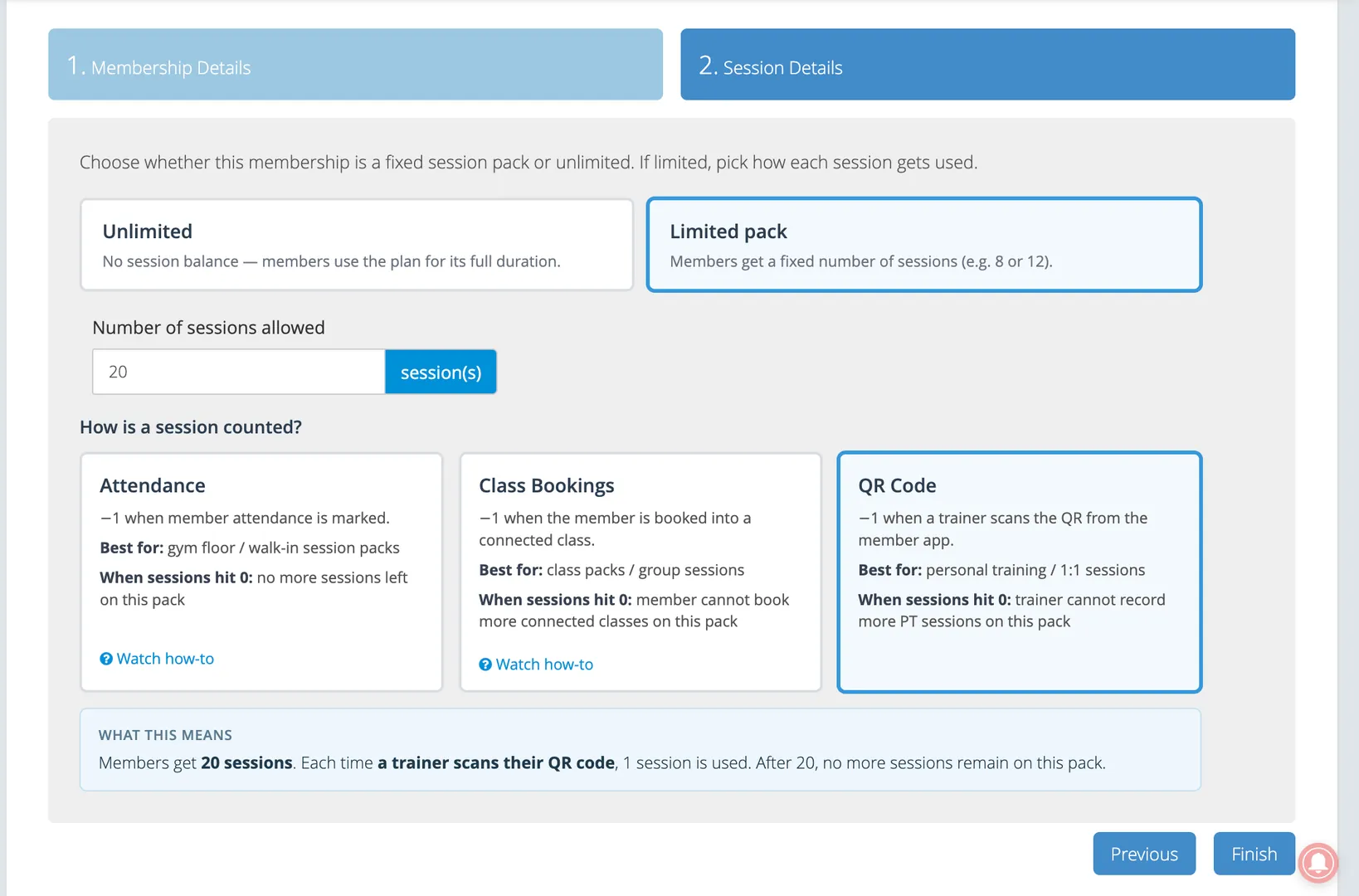
Under the Session Details tab, select Limited pack
Enter number of sessions allowed and set count sessions by QR code
Assign the membership to the member
Record a session
Session is to be recorded when the personal training session is completed between the member and trainer
In the member app, tap on the membership card and Record PT button
Scan the generated QR code from the Okfit Manager app using the assigned trainer’s login
On successful scan the remaining sessions decrease by 1
If the member cannot open the Member app QR
Admin: Member Profile → Details → Action → Record PT session → generate QR for the trainer to scan in Okfit Manager
When sessions run out
The session counter will show the total sessions used, but the membership may still be Ongoing if the end date has not passed.
QR code expired
The QR code is valid only for 30 seconds. If the trainer fails to scan the code in under 30 seconds they will see a QR code expired error.
QR code expired error
The generated QR code is valid for 30 seconds. If the computer or phone showing the code and the phone scanning it are even a few seconds apart, the scanner can reject a code that was just generated and it will show the QR code expired message even when scanned in under 30 seconds.
Please set Date & time to automatic on both devices, then generate a fresh code and scan it right away.
Related
How to assign or renew a membership
How to assign a complimentary membership