
How to create a membership
Memberships are the plans or packages that you sell at your gym (e.g., 1 Month Gym, 6 Month PT, 10-Class Yoga Pack).
Create at least one membership before assigning memberships to members.
Steps
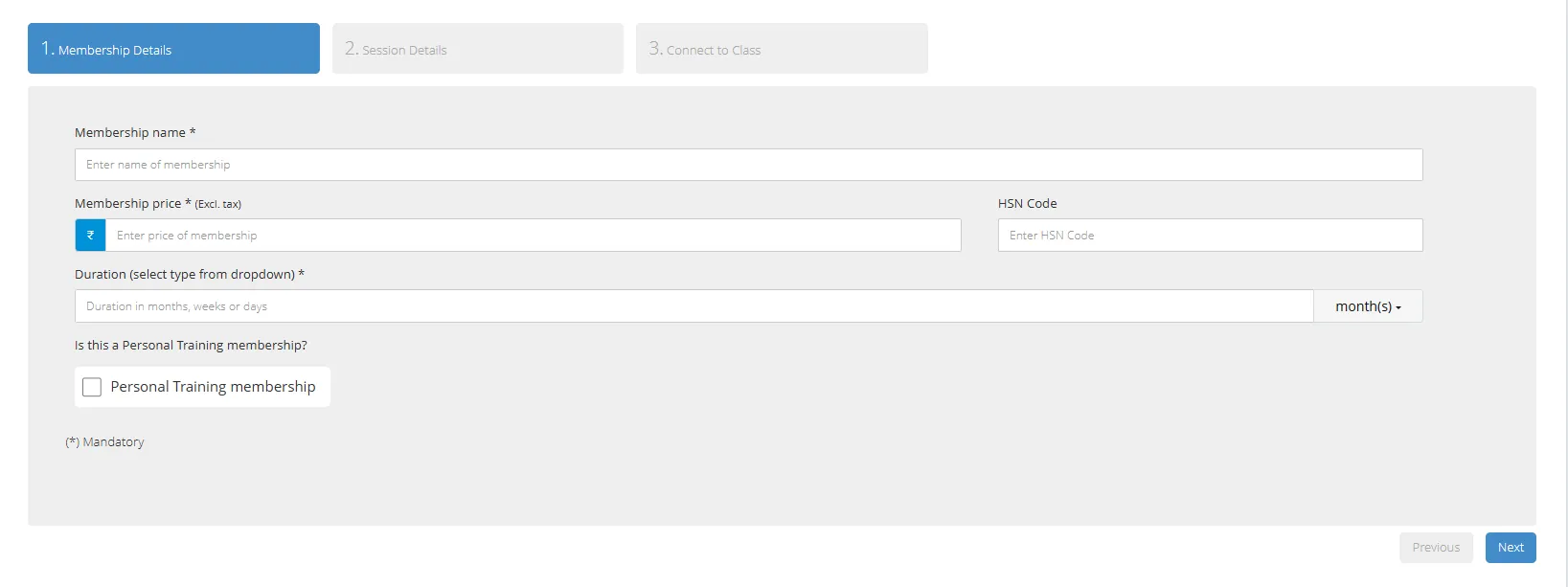
Go to Memberships & Plans → Add New Membership
Enter Membership Name (shown on invoices)
Enter Price (excluding tax)
Set Duration (days, weeks, or months)
Optional: mark as Personal Training (if you want to display a Personal Training badge)
Optional: enable Consider for access control if you use biometric entry
Choose sessions (Unlimited / Limited)
Optional: if Limited, choose how sessions count (Attendance, Class bookings, or QR) and number of sessions allowed
Save
Creating session based memberships
In a session based membership, the membership can be used for a set number of days for the duration of the membership. The sessions can be counted by Attendance (AT), QR code (QR) or Class Booking (CB)
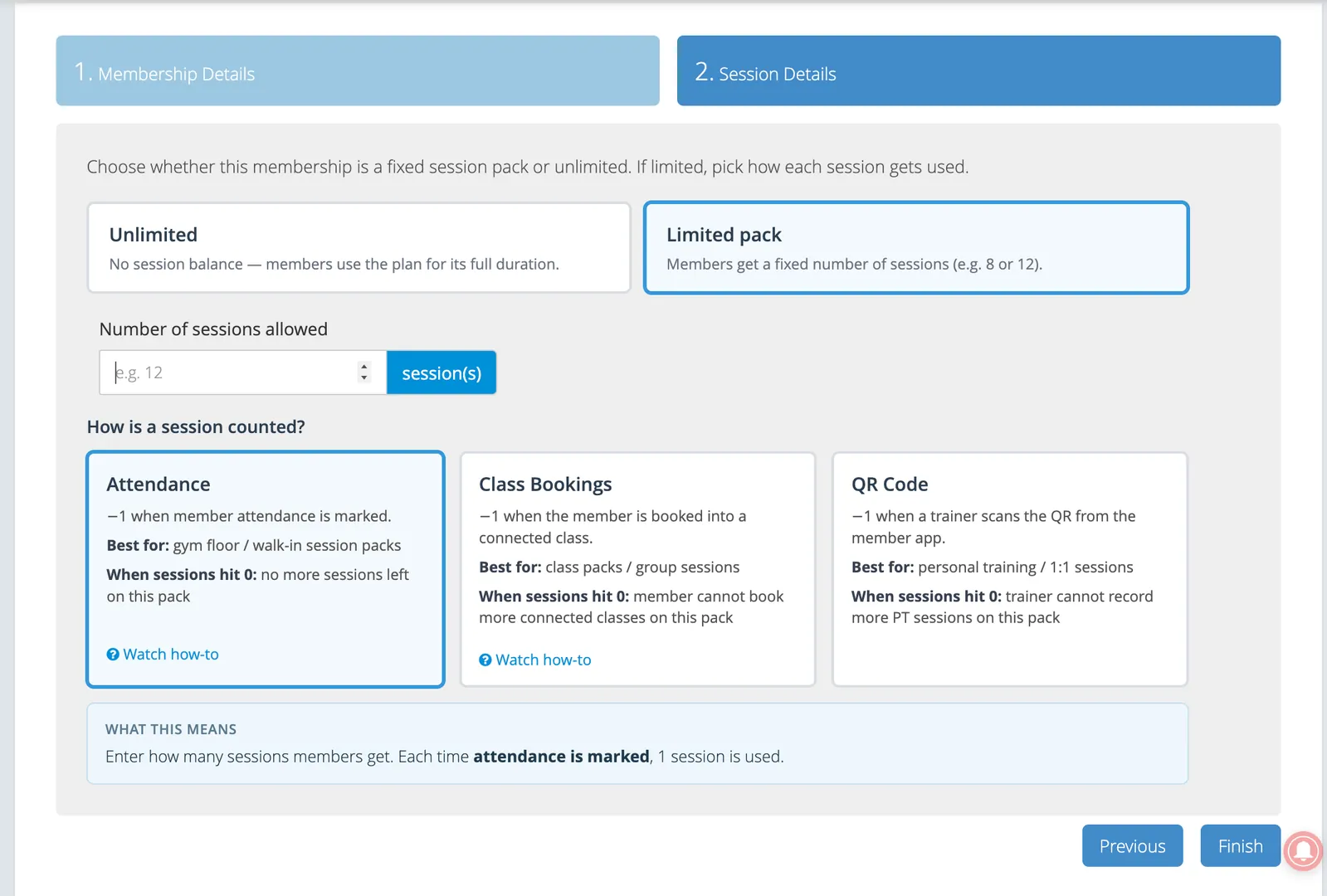
Attendance
Session is counted when attendance is marked either by QR code, biometric or manually
Best for: gyms
Class Bookings
Session is counted when member is booked into a class
Best for: pilates and yoga studios
QR Code
Session is counted when a QR code generated in the member app is scanned by the trainer from Okfit Manager app
Best for: 1:1 personal trainings
After create
Assign it to a member from their profile
Create offer link to generate a unique link to sell membership online
Tips
Create as many membership packages as needed
For gyms with different zones (e.g., weights area only, full gym access), create separate packages for each
Related
How to assign or renew a membership
How to track personal training sessions on a membership
How to connect memberships with classes
How to create and share membership offer links