How to create Membership?
Covers: adding a new membership type, setting price, duration, and sessions
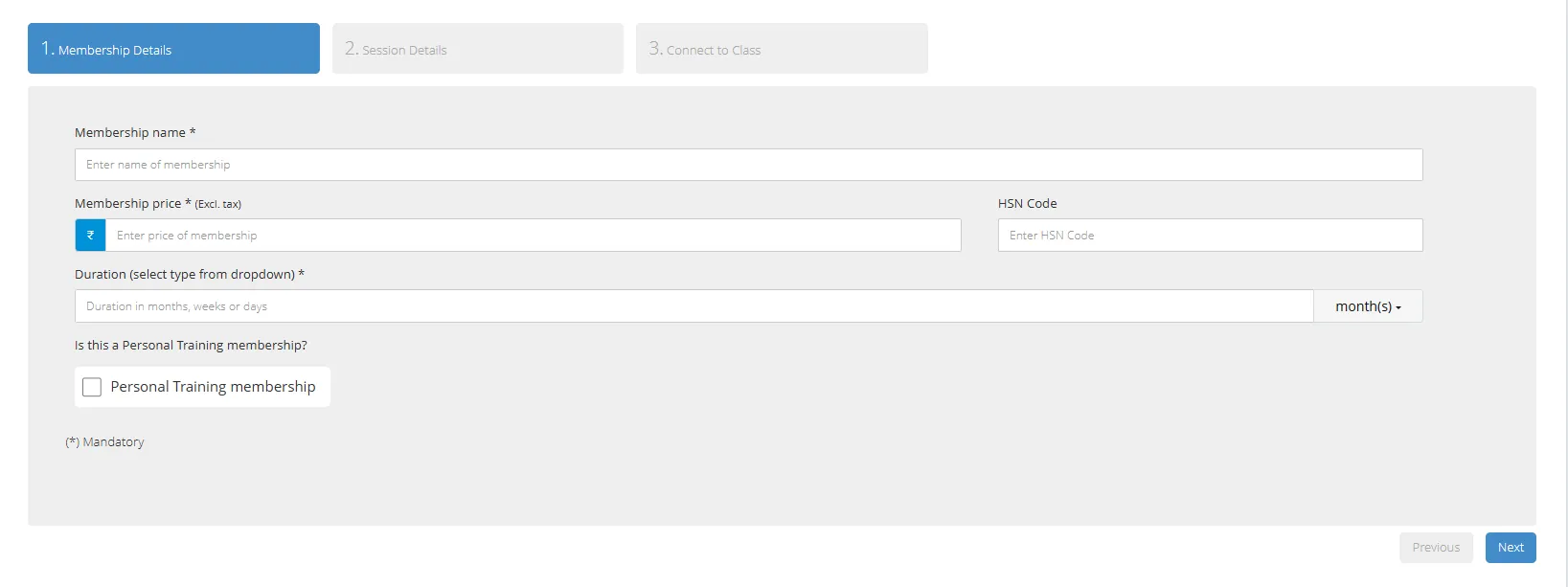
Memberships are the plans or packages that you sell at your gym (e.g., 1 Month Gym, 6 Month PT, 10-Class Yoga Pack).
You must create at least one membership package before you can assign memberships to members.
Steps to create a membership package
1. On the left navigation menu, go to Memberships & Plans > Add New Membership
2. Enter the Membership Name — this is what appears on invoices (e.g., Gold Membership, Monthly Zumba, 6-Month PT)
3. Enter the Price (excluding GST)
4. Set the Duration — enter a number and select the unit (days, weeks, months)
5. If this is a session-based membership (e.g., 10 PT sessions), enable Sessions and enter the number of sessions
6. Enable GST if you are a GST-registered business — Okfit will automatically add GST to invoices
7. Click Save
Tip: You can create as many membership packages as needed. For gyms with different zones (e.g., weights area only, full gym access), create separate packages for each. |