
How to edit a class schedule
Use this to update the trainer, notes, difficulty level or required items for the class
Steps to change the trainer
On the left navigation channel, goto Classes → View Classes with the Super Admin or Admin role
In the Action column select View Class Schedules
Update the date filter on the top to match the class schedule range
Find the class schedule row. In the Action column click Edit
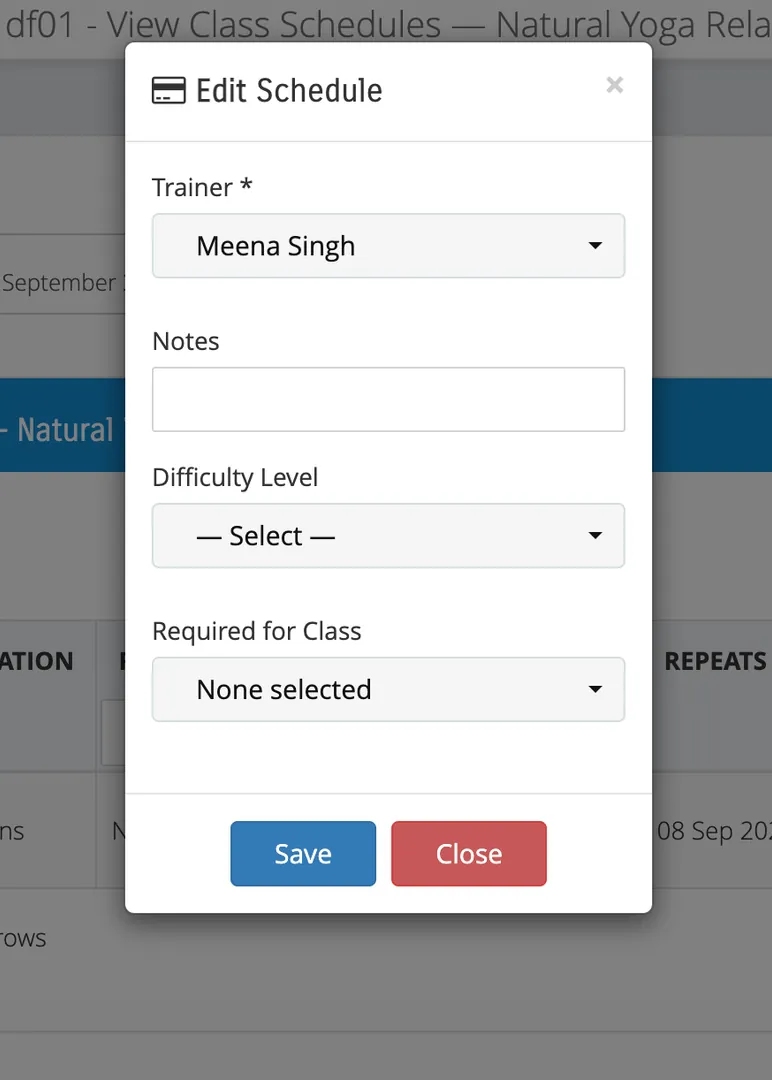
In the Edit Schedule modal, update the trainer and Save
Steps to change the difficulty level
On the left navigation channel, goto Classes → View Classes with the Super Admin or Admin role
In the Action column select View Class Schedules
Update the date filter on the top to match the class schedule range
Find the class schedule row. In the Action column click Edit
In the Edit Schedule modal, update the difficulty level and Save
Steps to change the required items for the class
On the left navigation channel, goto Classes → View Classes with the Super Admin or Admin role
In the Action column select View Class Schedules
Update the date filter on the top to match the class schedule range
Find the class schedule row. In the Action column click Edit
In the Edit Schedule modal, update the required for class and Save
Allow other staff roles to edit class schedule
Use this to let other staff roles like receptionists and trainers have access to editing the class schedule.
Steps
From Super Admin login, goto Staff → Manage Staff Roles
Toggle ON for Enable Class / Class Schedule Editing