
Classes — step-by-step setup
#
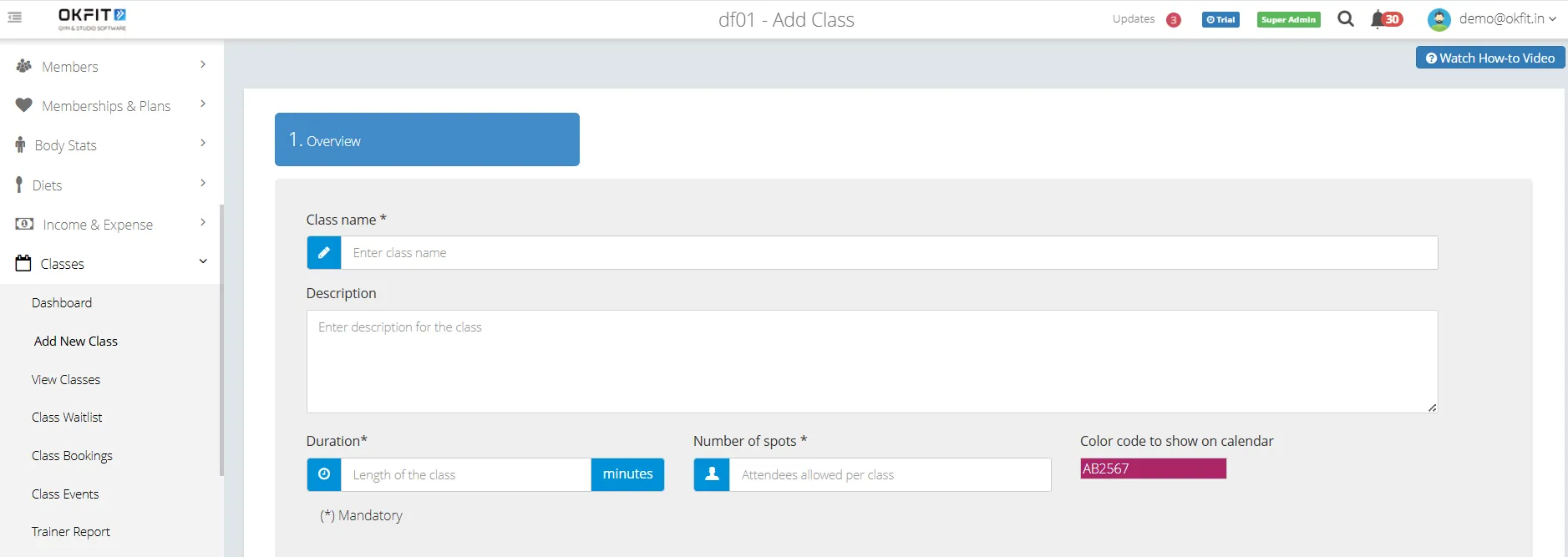
1. Create a class
Classes → Add New Class — name, duration, spots
See:
How to create a class
#
2. Connect memberships
Link which memberships can book this class
See:
How to connect memberships with classes


#
3. Put it on the calendar
Classes → Calendar — add a schedule (and repeats if needed)
See:
How to create a class schedule

#
4. Book people in
Open the scheduled class → Book members or trial enquiries
See:
How to book members into a class
How to book an enquiry into a trial class
#
5. Run the class
Take attendance, manage no-shows, or cancel if needed
See:
How to take class attendance and manage bookings
#
6. Optional ops
Waitlist, booking settings / notifications, reports
See:
How to use the class waitlist
How to configure class booking settings and notifications
How to use class reports and insights
#
If booking fails
See:
Class booking errors and fixes