
Adding an Enquiry to a Trial Class (Without Converting to a Member)
If someone walks into the gym or contacts the gym and expresses interest in joining a class without becoming a registered member, you can still add them to a class booking as an enquiry.
#
Steps:
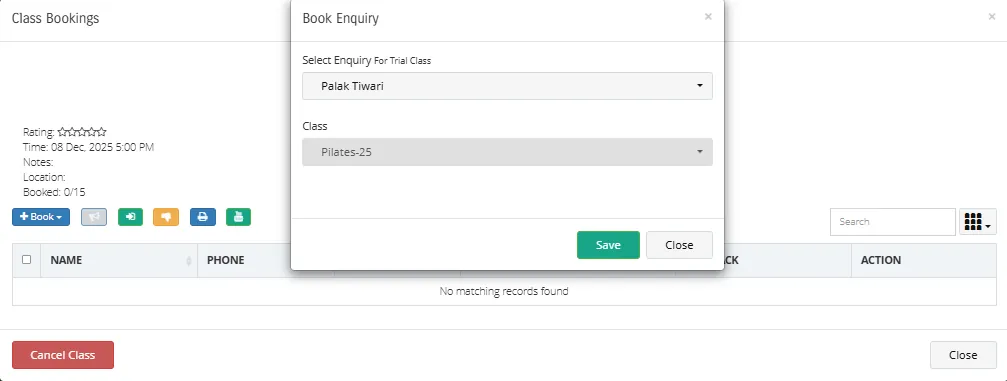
Go to Classes > Calendar and select the Class you want to add the enquiry to
Click on Book > Select Enquiry
Choose the enquiry you want to book for the trial class
Click Save to confirm the booking
✔ The enquiry will now be added to the class booking list without converting the person into a member account.
Note: Payments are not managed for enquiries; therefore, no invoice will be generated for trial-class enquiries.
Was this helpful?