
How to assign workout plans with a membership
Covers: view workout plan, update workout plan
Workout plans are exercise schedules assigned to the member at the time of membership assignment.
When
At assign / renew
In the Renew Membership form, choose Plan (required), plus Diet and Trainer if needed
After assign
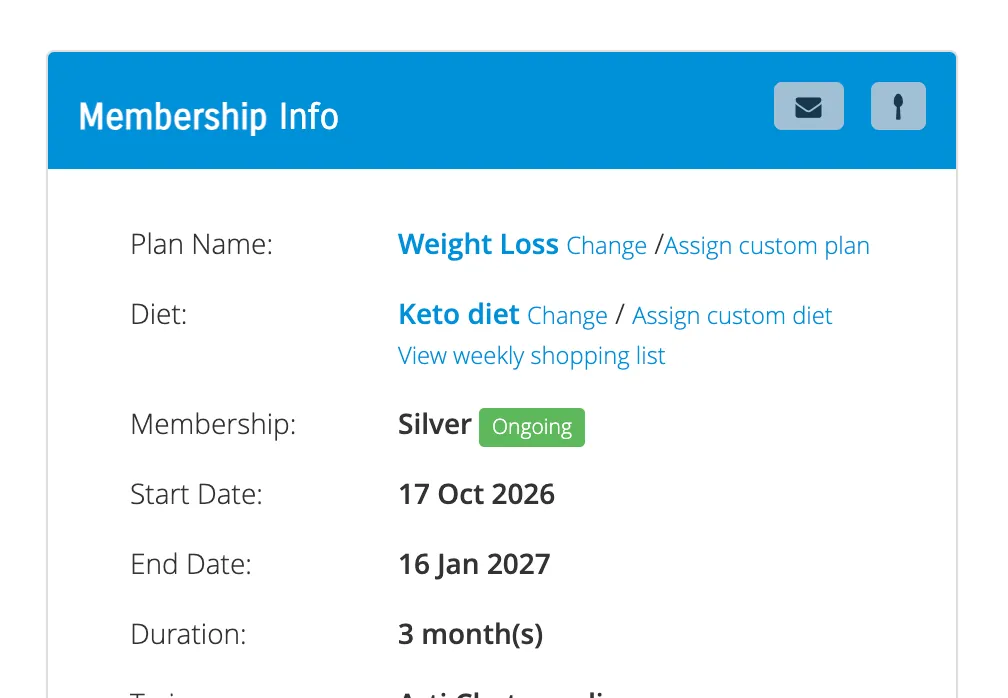
Overview → Membership Info panel → Change or Assign custom plan
or Details → Action → Edit Membership
Share workout plan
The workout plan can be shared to the member over email or it can be viewed in the member app.
To send as email, goto the member's profile → Overview tab → Membership Info panel. On the top, there is button with Envelope icon to send the workout plan through email.
Update plan
If the workout plan needs to be changed for the member
Goto the member's profile → Details tab
Find the membership row. In the Actions column select Edit Membership
Change the workout plan and click Save
Or
Goto the member's profile → Overview tab → Membership Info panel
Click Change next to the workout plan
To assign a custom plan, click Assign custom plan
Create plans first
Memberships & Plans → Add New Workout Plan
(or Workout Plans & Exercises if advanced plans are enabled)
See:
Tips
- Workout plans are shown to the member in the member app only while their membership is ongoing
Related
How to assign or renew a membership
How to track personal training sessions on a membership